Line Numbering
--line-numbers option and some others described below control how lines are numbered
in the generated snapshot.
--line-numbers accepts following values:
continuous-outputs(default): Uses a single numbering scope for all outputs. Inputs are not numbered.continuous: Uses a single numbering scope throughout all inputs and outputs.each-output: Numbers each output separately. Inputs are not numbered.
Separate numbering for each output

Generating command:
term-transcript exec --scroll --palette xterm \
  --line-numbers each-output \
  rainbow 'rainbow --short'
Continuous numbering for outputs

Generating command:
term-transcript exec --scroll --palette powershell \
  --line-numbers continuous-outputs \
  --line-height=1.4em \
  rainbow 'rainbow --short'
Continuous numbering for inputs and outputs

Generating command:
term-transcript exec --scroll --palette gjm8 \
  --line-numbers continuous \
  --scroll-interval 2s --scroll-len 2em \
  rainbow 'rainbow --short'
Same snapshot generated using the pure SVG template (i.e., with the additional
--pure-svg flag):
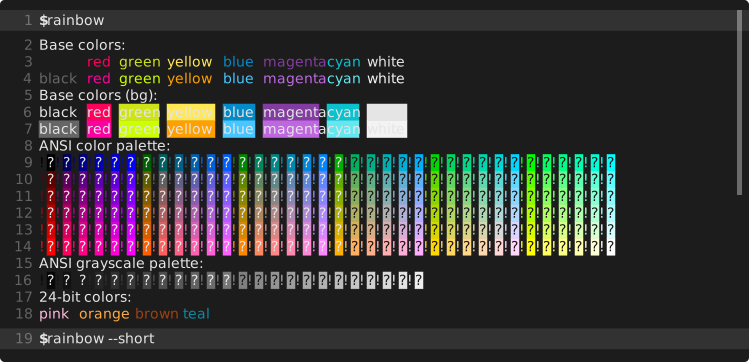
term-transcript exec --pure-svg --scroll --palette gjm8 \
  --line-numbers continuous \
  --scroll-interval 2s --scroll-len 2em \
  rainbow 'rainbow --short'
Numbering with line breaks
As the example below shows, what is numbered by default are displayed lines obtained after potential line breaking.

Generating command:
term-transcript exec --palette gjm8 \
  --line-numbers \
  --line-height 18px \
  'rainbow --long-lines'
This behavior can be changed with the --continued-mark arg. If set, the mark will be output before each line
continuation instead of the line number. Similarly, --hard-wrap-mark changes the mark placed at the end of wrapped
lines.
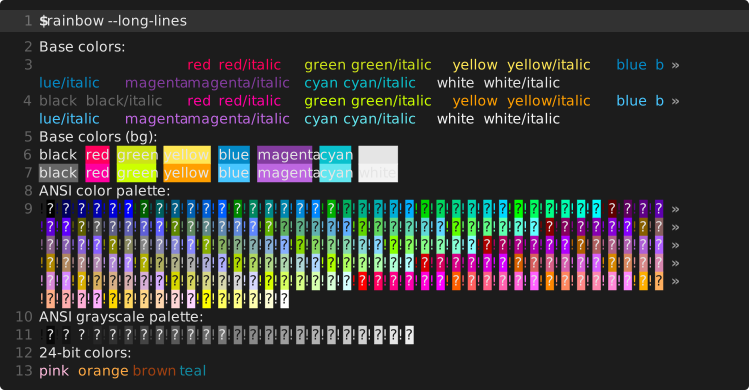
term-transcript exec --pure-svg --palette gjm8 \
  --line-numbers \
  --continued-mark '' \
  --line-height 18px \
  --advance-width 7.8px \
  'rainbow --long-lines'

term-transcript exec --palette gjm8 \
  --line-numbers \
  --continued-mark '…' \
  --hard-wrap-mark '—' \
  'rainbow --long-lines'